


STEP 01
Type the addresses
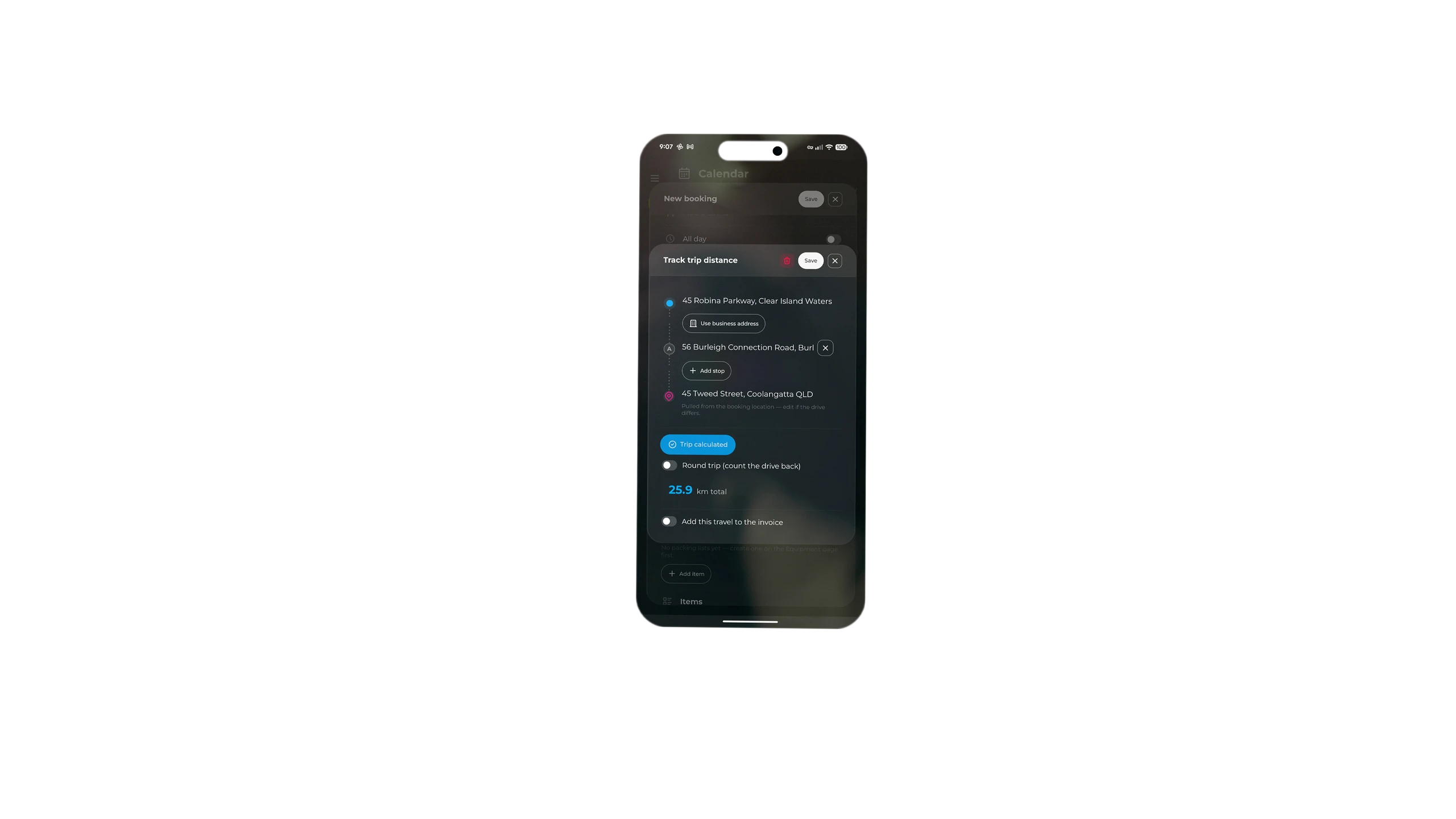
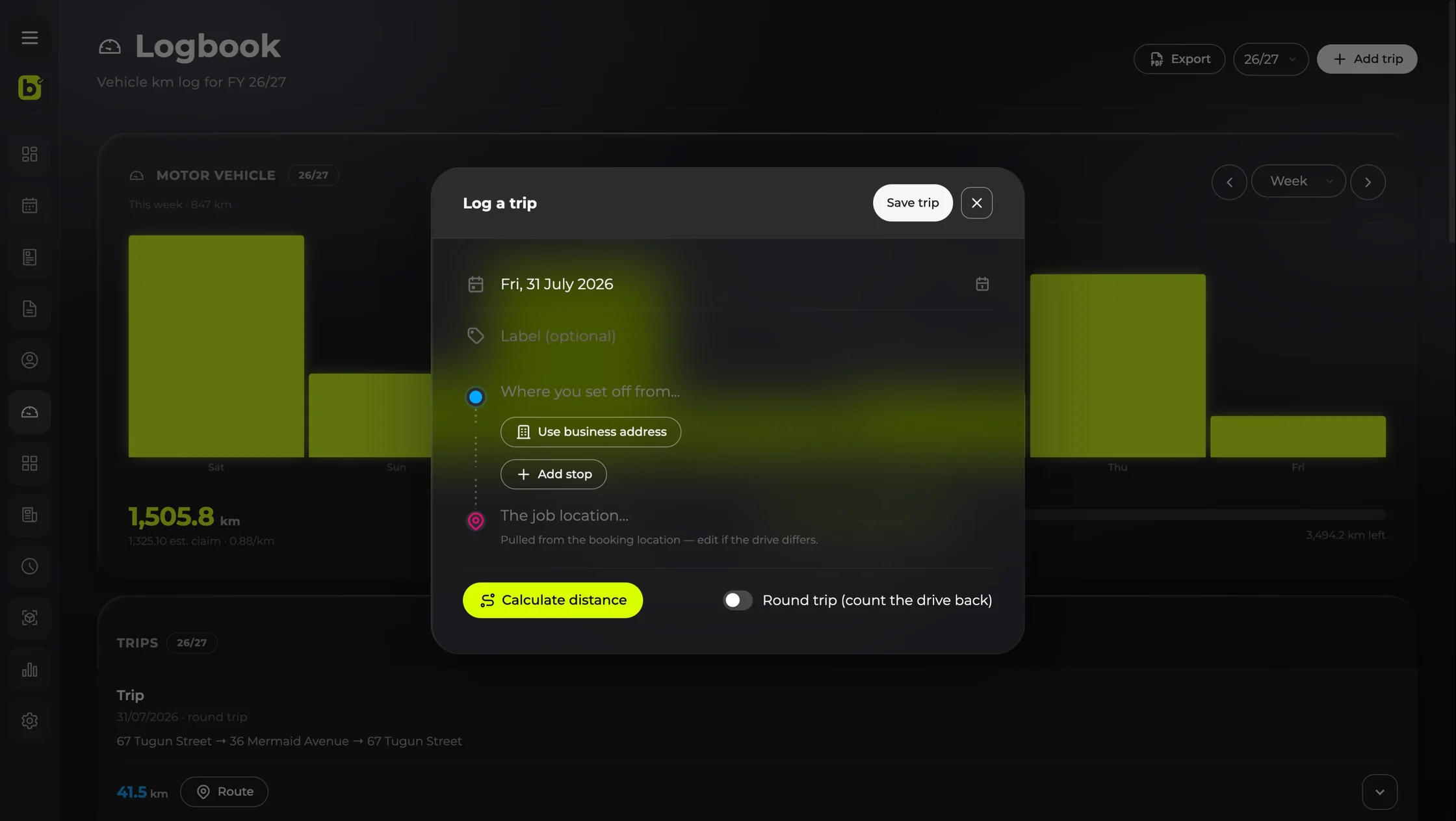
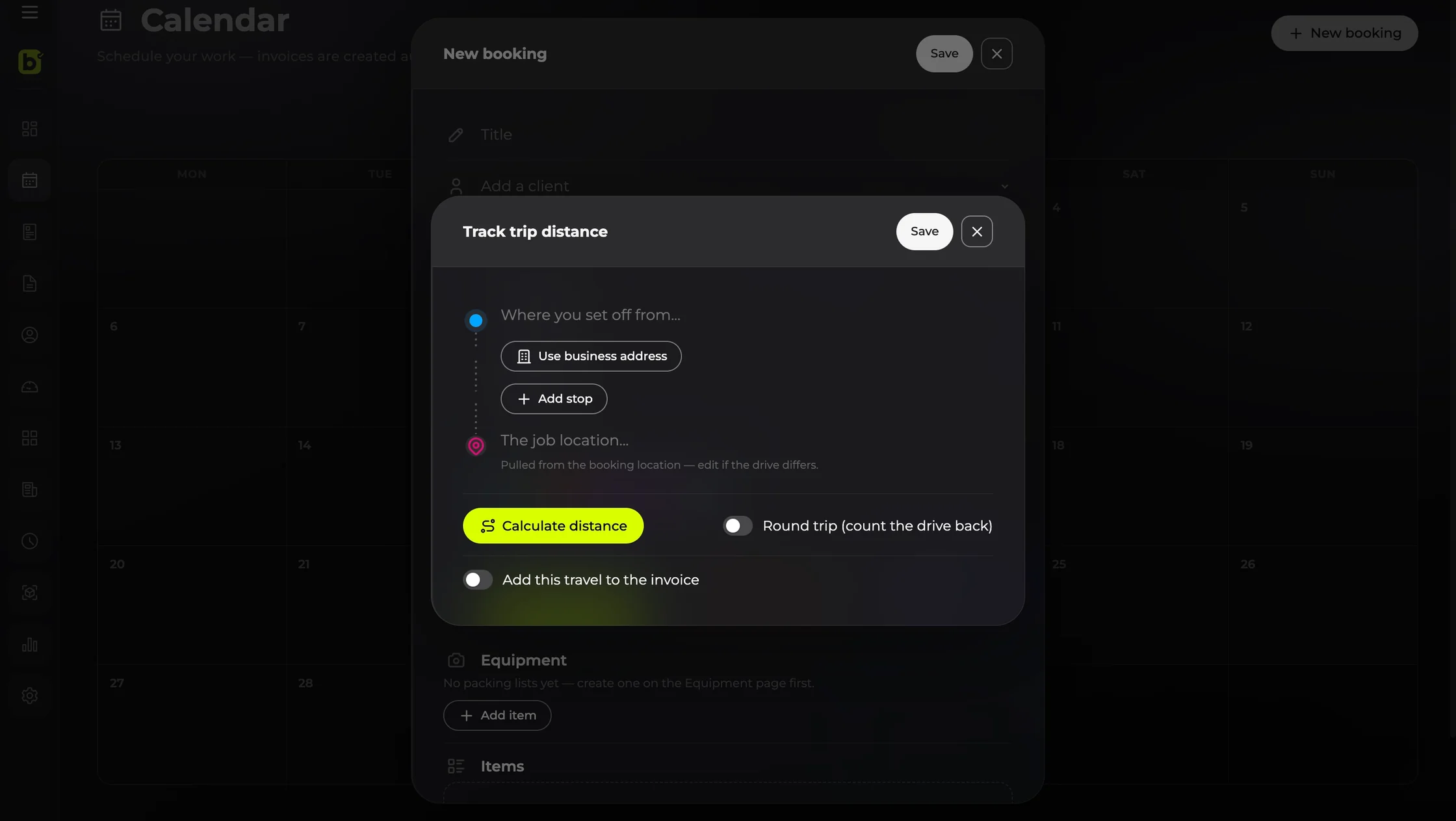
Where you're setting off from, any stops along the way, and where the job is. Your business address sits there as the starting point, but change it to wherever you actually left from.
Vehicle logbook
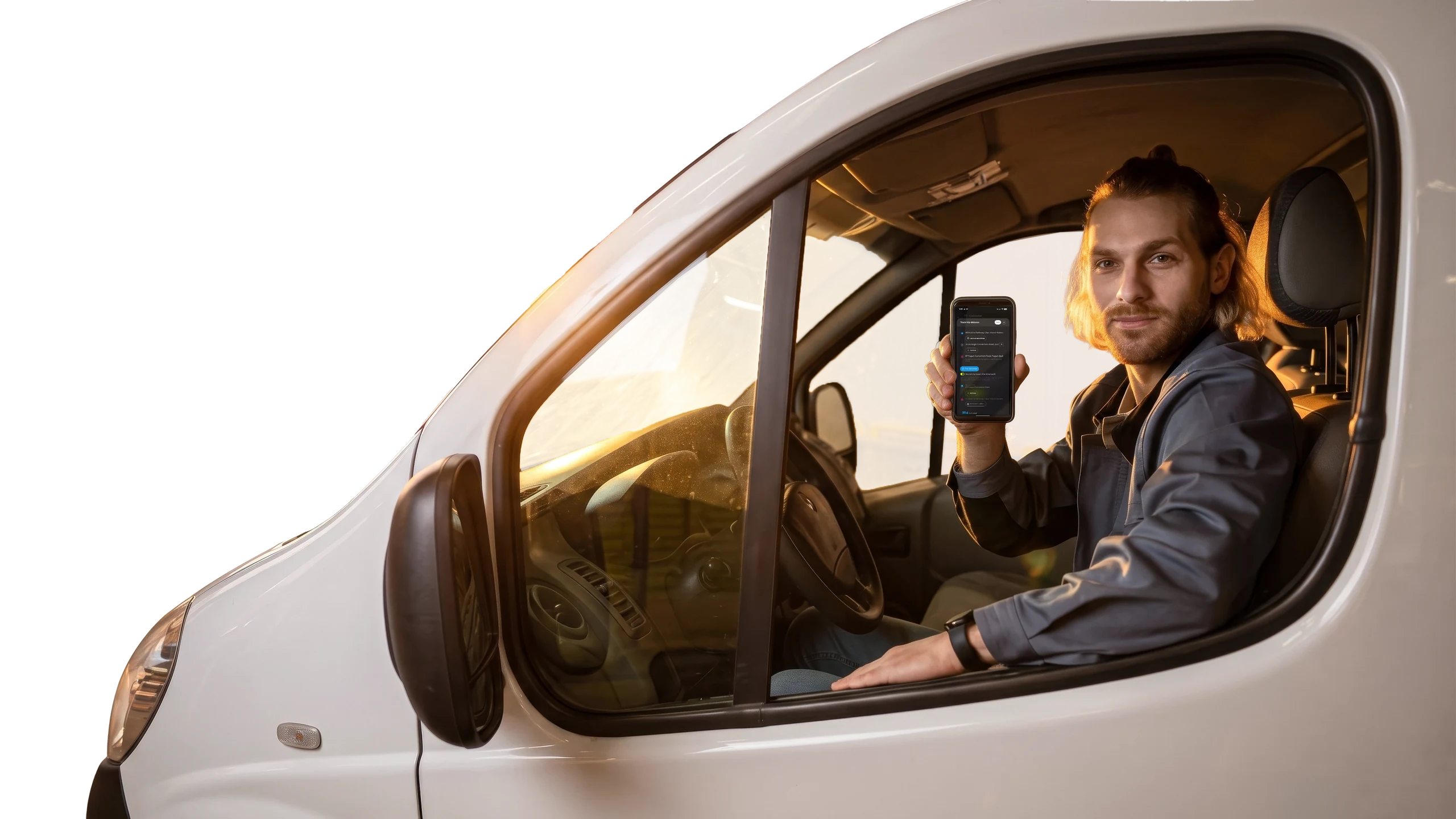
Open maps, type where you're headed, drive. billed works exactly the same way — except it keeps the kilometres, and hands the trip straight back to Google Maps so you navigate the way you always have.
No card needed to start ·Cancel anytime·How to install
What you get
No odometer readings, no photos of the dash, no app running in the background draining your battery. You type an address. That's the whole skill.
Add the stops you'll make on the way. Flick on Round trip and the drive home counts too, so one entry covers the day.
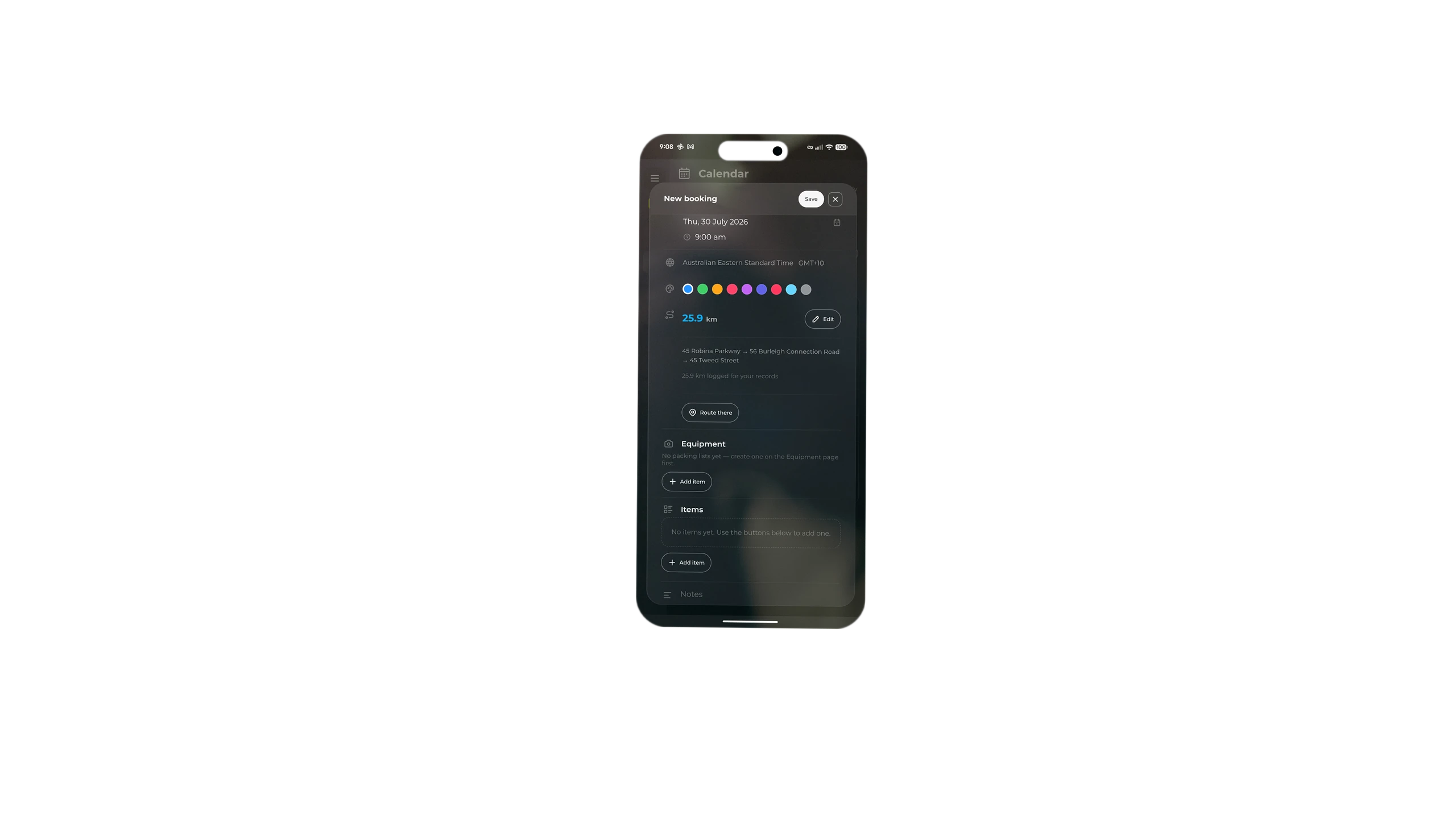
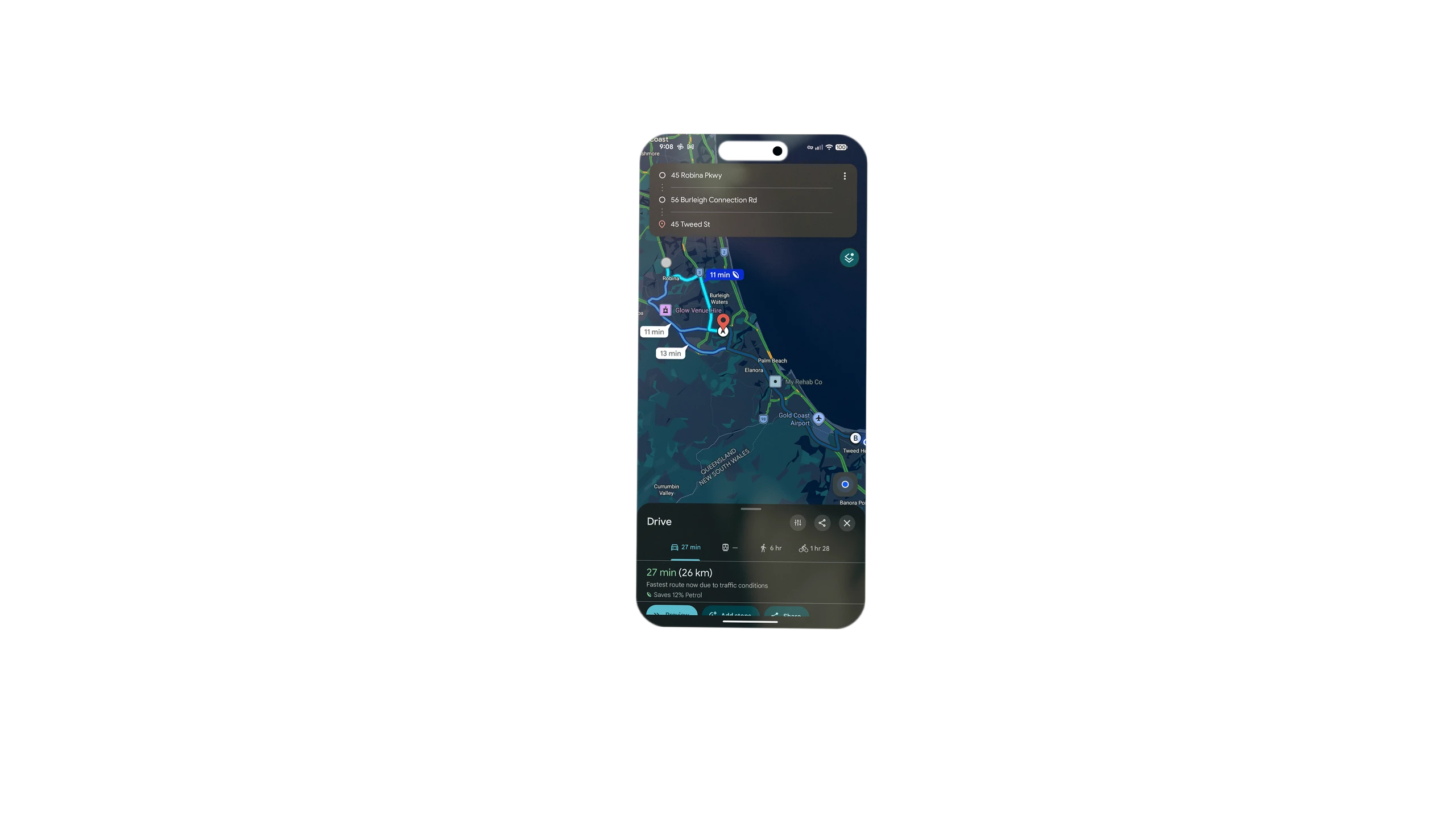
Distances come from the Google Maps API, so the number follows the road. And the trip opens as a route you can drive — billed isn't replacing your maps app, it's the bit that remembers where you went.
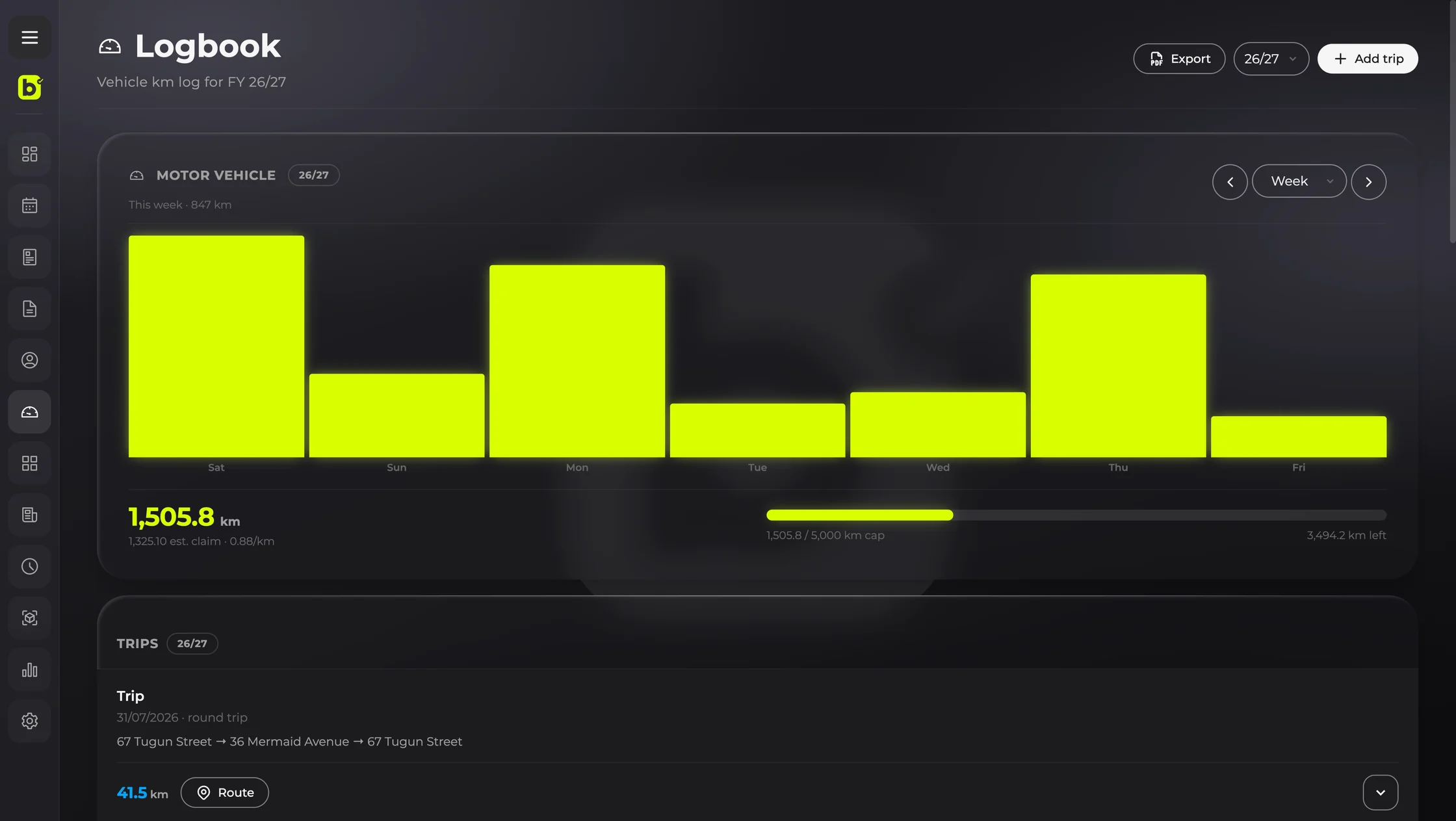
Every trip feeds a running total for the Canadian fiscal year, with a cap you set yourself and a bar showing what's left of it. Turn the cap off if you'd rather it just counted.
Log the drive while you're setting up the booking, or go straight to the logbook and add it later — for the ones you meant to record and didn't.
Set a per-kilometre rate and you'll see roughly what a trip is worth. Or send it to the invoice and charge the client for the travel. Both optional.
See it in action
How it works
How it works
Where you're setting off from, any stops along the way, and where the job is. Your business address sits there as the starting point, but change it to wherever you actually left from.
Tap Calculate distance and the kilometres come back from the Google Maps API — the same routing that gets you there. The trip is saved against the right fiscal year with a running total, so there's nothing to write down.
billed turns the whole trip — start, every stop, destination — into a route you can open in Google Maps. Tap it and navigate exactly as you would on any other drive.
Questions
Yes, and that's the idea. You set the trip up in billed — start, stops, destination — and billed gives you the route to open in Google Maps. It navigates, billed remembers. You're not learning a new maps app.
No. It's pre-filled because that's the common case, but you can set off from anywhere — a supplier, a previous job, home. Change the starting point and billed measures from there.
No, and deliberately so. You type the addresses; nothing runs in the background, nothing follows you around, and nothing sits there eating your battery. It takes about as long as typing a destination into maps, because that is what you're doing.
Both live in Settings and both are yours. The per-kilometre rate arrives with a number already in it, but billed never changes it behind your back — so if you'd rather use your own charge-out rate, just type it in. The cap can be switched off entirely.
The Google Maps API. Address search behaves the way you'd expect because it's the same service, and the distance follows the driving route rather than a straight line or a guess from billed.
Yes — that's what the logbook screen is for. Add the trip directly, set the date to whenever it happened, and it counts towards the year like any other. Charging it to an invoice is the one thing that needs the trip attached to a booking, since the booking is what raises the invoice.
Yes. Open any saved trip from the logbook and edit the addresses, stops or date. If the drive didn't follow the route billed first mapped — a detour, a closed road — adjust it and billed re-measures the kilometres to match the route you actually took.
Choose a fiscal year and export the logbook as a PDF. Everything else in billed exports to CSV as well, free, even if you're not subscribed.
The logbook comes with billed, the invoicing app for Canadian sole proprietors and freelancers — along with quotes, expenses, time tracking and bookings. One flat price, everything included.